Customers ring your hotline, but nobody knows which campaign sent them.
Every call records the page and the traffic source. You see which campaigns actually bring customers.
Put a “Free call” button on your website. Visitors tap it and talk straight to whoever is on duty in CPlatform. Every call lands in the customer record with the page they were on and the ad that brought them.
Three familiar leaks for businesses running ads — and how Web Call Center plugs them.
Customers ring your hotline, but nobody knows which campaign sent them.
Every call records the page and the traffic source. You see which campaigns actually bring customers.
One number, one person — busy or unanswered means the customer is gone.
Calls ring your whole on-duty team at once; whoever is free answers. If nobody picks up in time, the visitor leaves a number and staff get a reminder.
They read your site carefully but would rather not give out a number or call a stranger.
A call button on the website lets them ask right away, without giving out their number.
No number rental, no per-minute fees. Audio is encrypted and never goes through a telecom switchboard.
Set calling hours and working days; anyone who clicks “I’m on duty” receives calls.
When a returning customer calls, their name and history appear instantly.
Call statistics by page, source, agent and missed calls.
After hours or unanswered: the visitor leaves a number and the call joins the “Missed — call back” list.
The microphone is used only after the visitor clicks and allows it — never automatically.
Right on your website, in a mobile or desktop browser, then allows the microphone.
On whatever screen is open. The first to click “Answer” takes the call; everyone else stops ringing.
You see the page they are on and the ad that brought them — so the first sentence already fits their need.
Time, agent, page, ad source and summary go to the CRM history. Missed calls trigger a reminder.
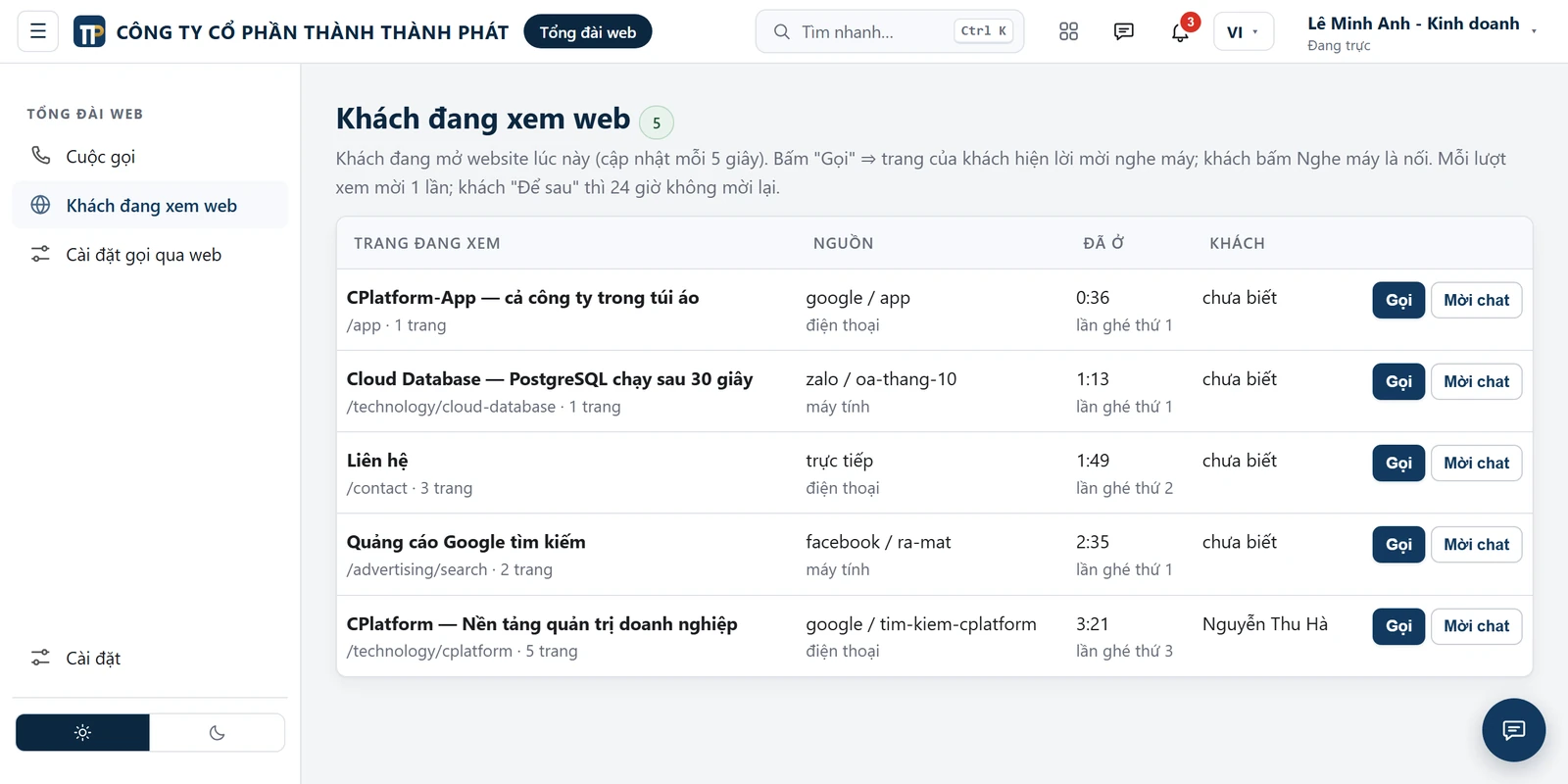
Like greeting a customer who walks into your shop: CPlatform shows who is browsing your website right now. One click invites them to talk or chat.
Every call becomes a transcript with speaker names, saved to the customer history.
Web Call Center is a CPlatform add-on, enabled monthly or yearly for each business.
Pricing depends on your business size — contact us for a quote.
Industries where every call is valuable — especially when you are running Google or Facebook ads.
Sales and customer-care teams of two or more people who share duty.
Web Call Center is a CPlatform add-on — the business platform with CRM, messaging, tasks and HR built in.
Leave your details — TTP will call you back and enable Web Call Center so you can try it on your own website.
No. They just need your website open in a recent Chrome, Edge, Safari or Firefox, then click call and allow the microphone.
In CPlatform on a computer, or in the CPlatform app on a phone. A headset with a microphone is recommended. During working hours, keep CPlatform open on a computer so you don’t miss a call.
It’s an extra channel. Keep your hotline and Zalo for customers who prefer dialling. The web call button catches visitors who are browsing your site but would not pick up the phone.
Visitors can call from iPhone. Staff answering on an iPhone should keep the screen on during the call, because iOS may cut the audio when the screen locks.
Normal Wi-Fi or 4G is enough — each direction uses only about 100 kbps. If the visitor’s network blocks internet calls, the system says so clearly and asks them to leave a number for a call back.
In your own business’s CPlatform system. See the Privacy Policy in the footer.
Try a call right now — you’ll talk to the TTP JSC team through Web Call Center itself.